Chapter 1.5
Make Your Own Calendar
Updated 30 Aug 2026 · Grant
What this is for
The club calendar holds every event of the season — patrols, Nippers, carnivals, courses and social nights. If you only care about some of it, you can narrow it down and save just those events as a PDF to print or keep on your phone.
The example below makes a calendar showing only Nippers and Social events. The same steps work for any combination.
Step 1 — open the calendar
Go to the club calendar. You will see every event for the month, and a button marked Filters.
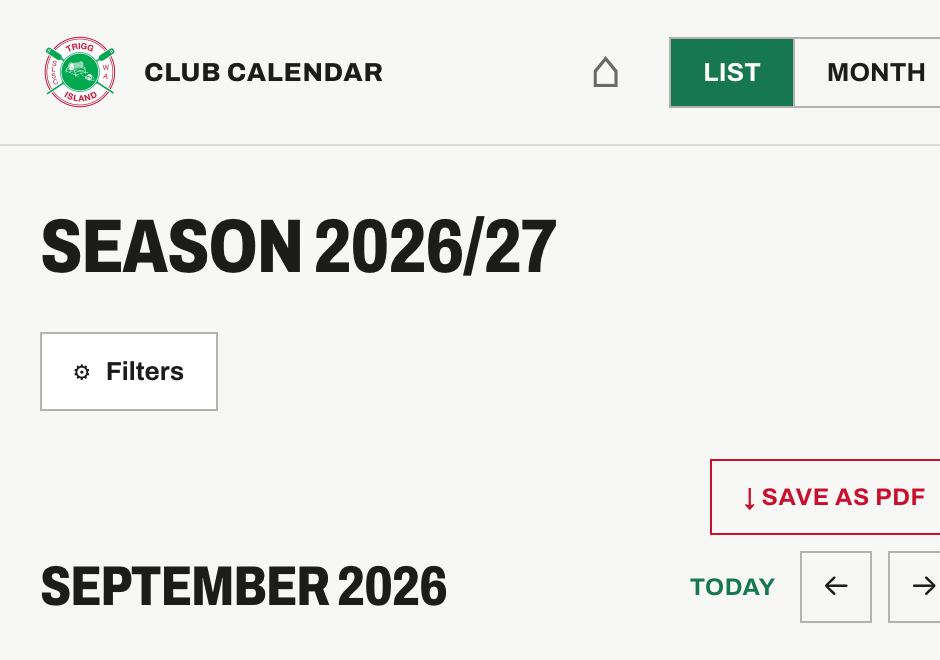
Step 2 — tap Filters and choose what you want
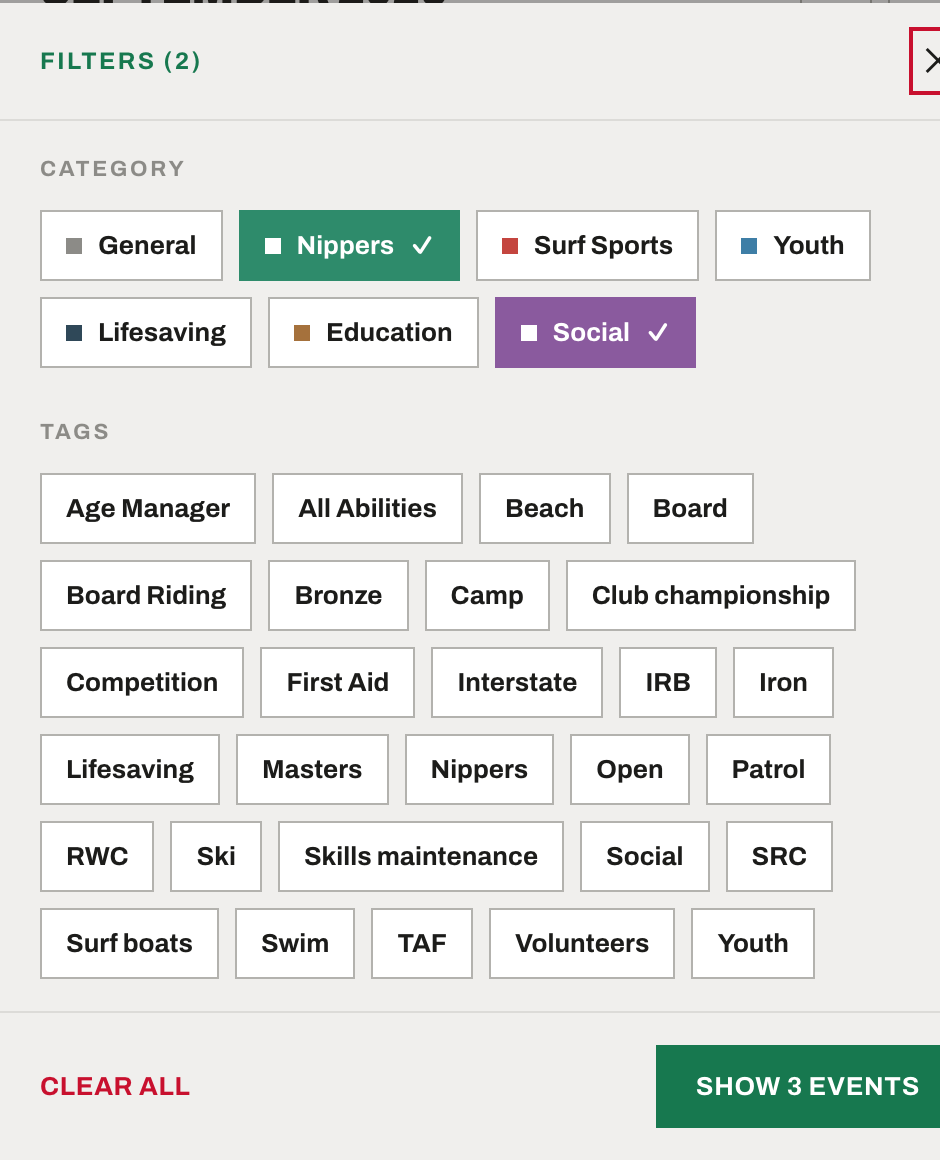
Tap Filters. A panel slides up listing every type of event. Tap Nippers and Social — they turn coloured with a tick to show they are on.
Tip
The green button at the bottom counts as you go — here it reads Show 9 events. That is how many you will get. Tap it when you are happy.
Step 3 — check the list looks right
The calendar now shows only the events you asked for. The Filters button carries a number so you can see a filter is on.
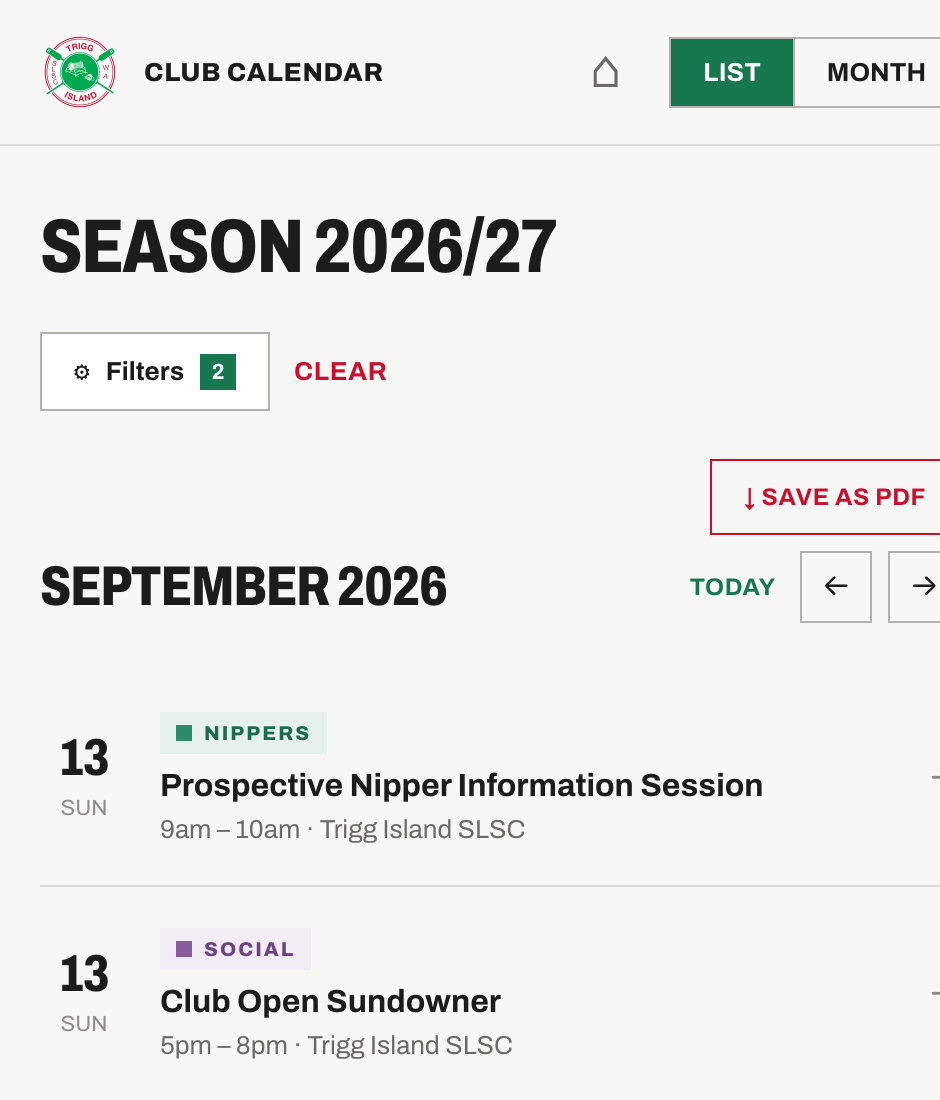
Changed your mind? Tap Clear next to the Filters button to go back to everything.
Step 4 — save it as a PDF
Tap Save as PDF. You will be asked how much of the season you want.
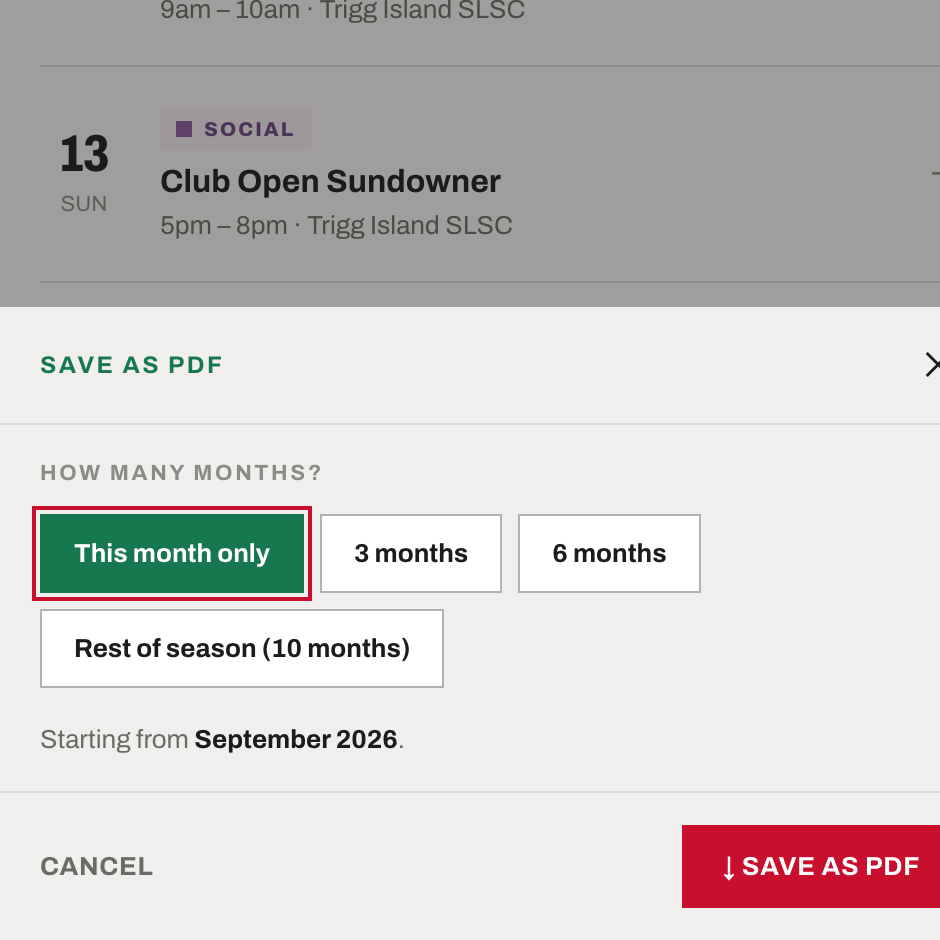
This month only — just the month you are looking at
3 months or 6 months — starting from that month
Rest of season — everything from that month to the end
Choose one, then tap Save as PDF again. Your phone or computer will ask where to keep the file — on an iPhone choose Save to Files, and on a computer pick Save as PDF as the printer.
What you end up with
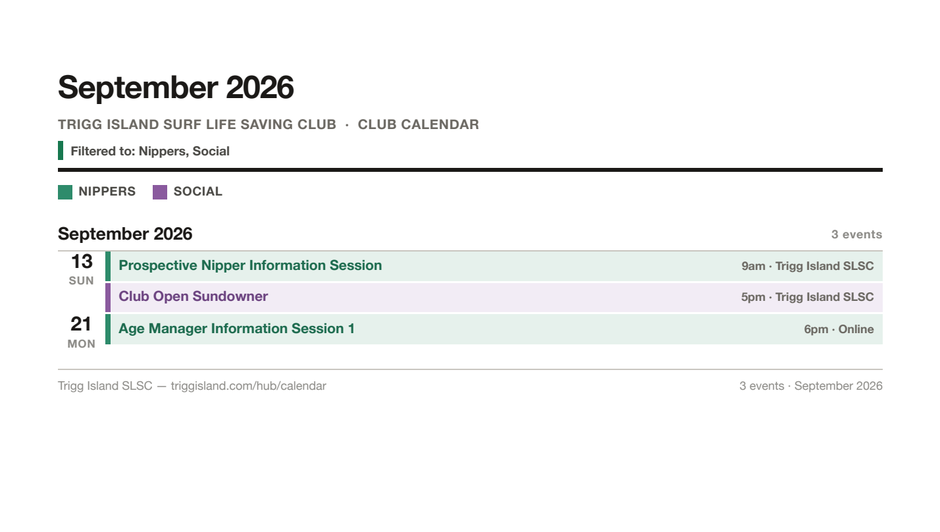
A clean sheet with the date, event name, start time and location — colour-coded, and with a line at the top recording which filters you used.
Worth knowing
You can also filter by tag — things like Bronze, Camp or Skills maintenance — in the same panel, underneath the categories. And on a computer the filters sit along the top of the page instead of behind a button, but they work exactly the same way.